Tighter storage with 7z
Native 7z profiles frequently beat generic ZIP defaults on size-sensitive uploads, which pays off when you email datasets, mirror repositories, or park cold backups on limited drives.

7-Zip
Windows archiving companion
Use 7-Zip to turn bulky directories into lean archives, inspect packages collaborators send you, and stay inside one familiar window while you juggle 7z, ZIP, and other everyday compression formats on Microsoft Windows.
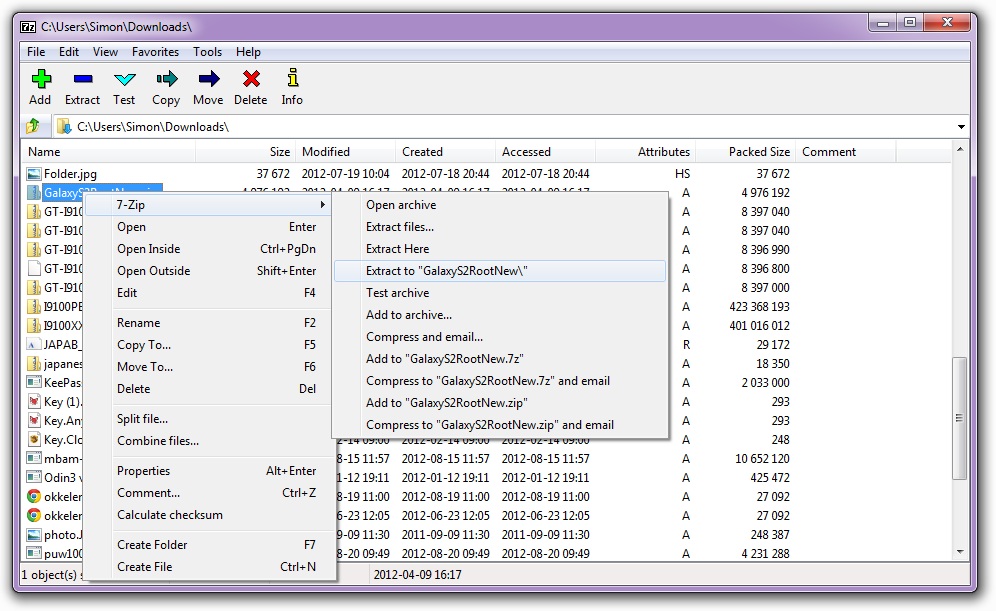
Native 7z profiles frequently beat generic ZIP defaults on size-sensitive uploads, which pays off when you email datasets, mirror repositories, or park cold backups on limited drives.
Alongside authoring archives, the same build unpacks a wide catalog of real-world payloads—think disk images, installer stubs, and cross-platform tarballs—so you spend less time hunting one-off utilities.
Deploy it on home laptops or managed workstations without buying serial numbers, provided you honor the LGPL/BSD mix and any unRAR carve-outs summarized on the Overview page.
Open the Overview for a format matrix and licensing primer in conversational English, follow How to use for Explorer-first recipes, skim Technical when you need registry breadcrumbs or silent-install switches, and visit Download to grab Windows x64, legacy x86, or ARM64 payloads—every control there issues a freshly minted direct link.